Case study · Data

Knowledge Base (KB)

Implemented · supplies WebsiteCreator

The design knowledge of the WebWorks line. It learns from the generator's processed pages how website pages are designed (layouts, sections, blocks, style systems, and card and background treatments) and supplies that knowledge to WebsiteCreator.
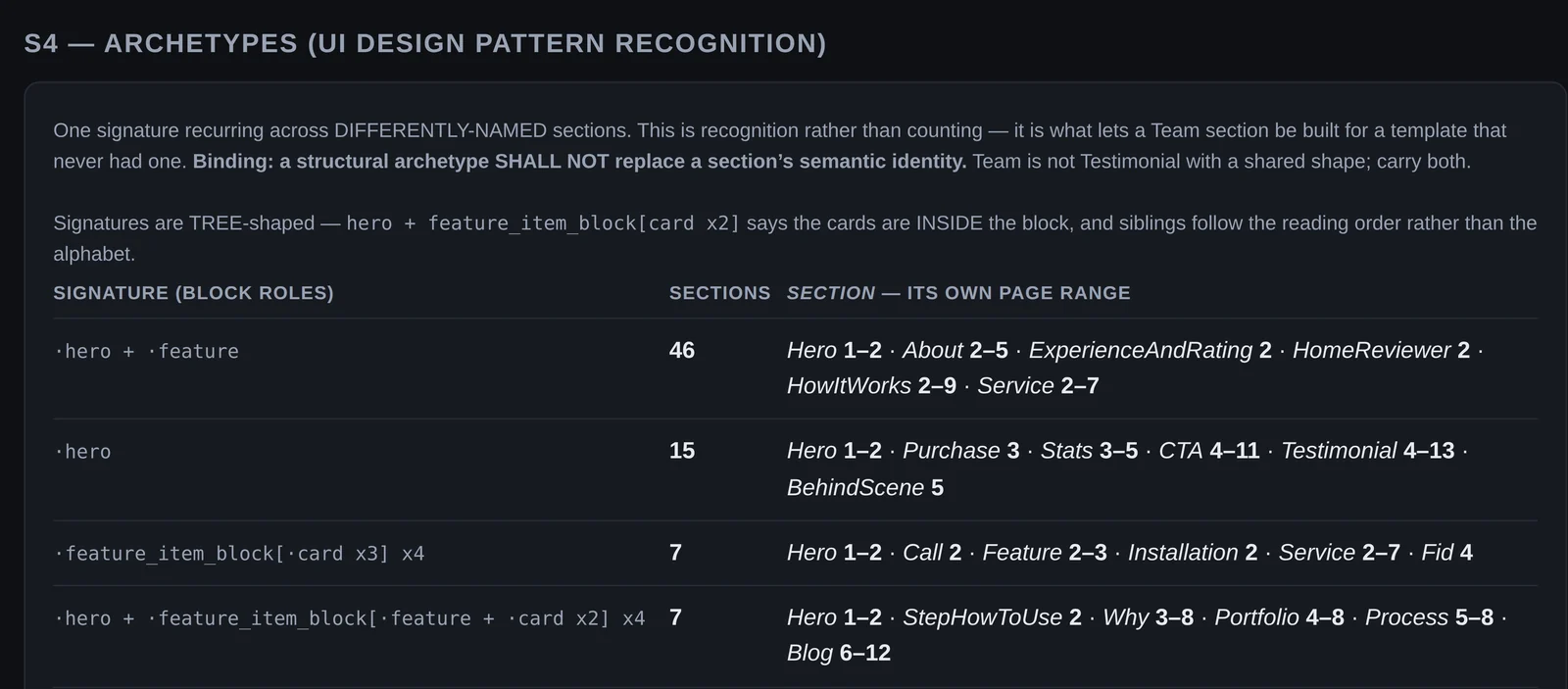
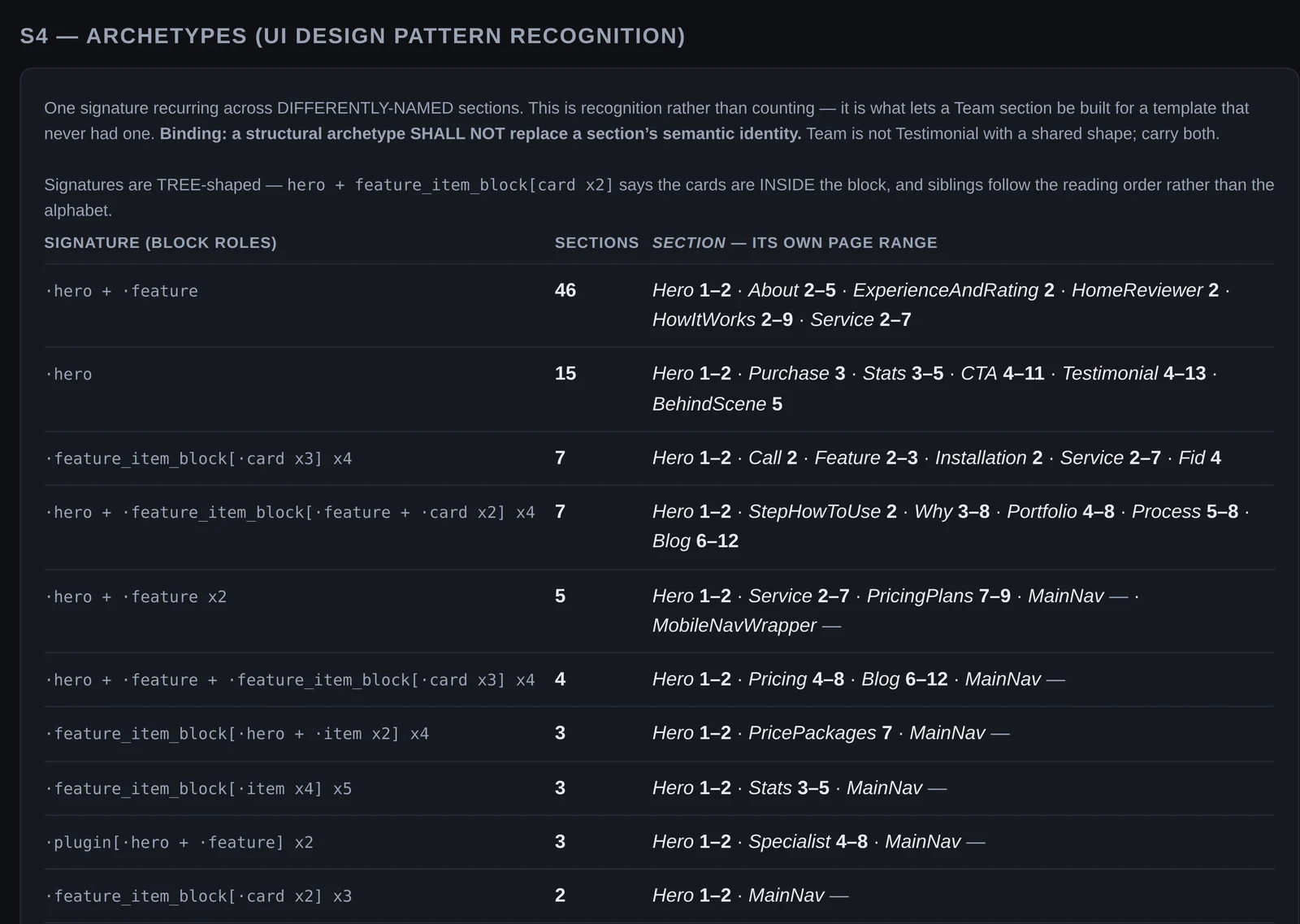
The top of the S4 archetypes table
Archetypes recognised. What the KB learned: one block signature recurring across differently-named sections.

Actual capture The Knowledge Base console, as it runs locally: the KB, UI IR and KB counts pages.

Purpose

The design knowledge behind WebsiteCreator: it learns how website pages are designed from the generator’s output.

The problem

A page composed from the most common choices looks like every other page. Range needs the full set of what real sites do, with every choice traceable to its source.

What it contributes

Design knowledge, in the WebWorks line: it learns from the generator’s processed pages and supplies the knowledge behind WebsiteCreator’s design guides.

Principal capabilities

  • Data

    58 labelled website pages broken into 2,016 blocks, 327 distinct layouts and 37 measured style systems. Every layout, card design and background treatment carries the page and row it came from.

  • Verification

    WebsiteCreator’s plan gate checks a planned page against the full range of the Knowledge Base before anything is built.

    WebsiteCreator

Built with

  • Python
  • Tokens

Implementation evidence

  • Implemented; used by WebsiteCreator’s plan gate.

Back to WebWorks website ecosystem

Visual evidence

What it learns

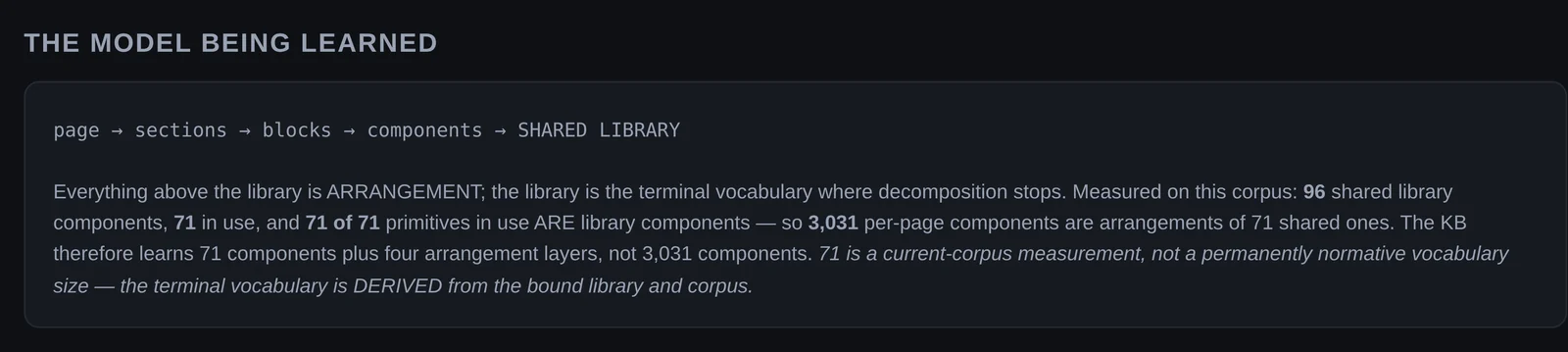
The KB console panel: page to sections to blocks to components to a shared library of 71 components
The model being learned. Page, sections, blocks, components, then a shared library: 3,031 per-page components turn out to be arrangements of 71 shared ones.
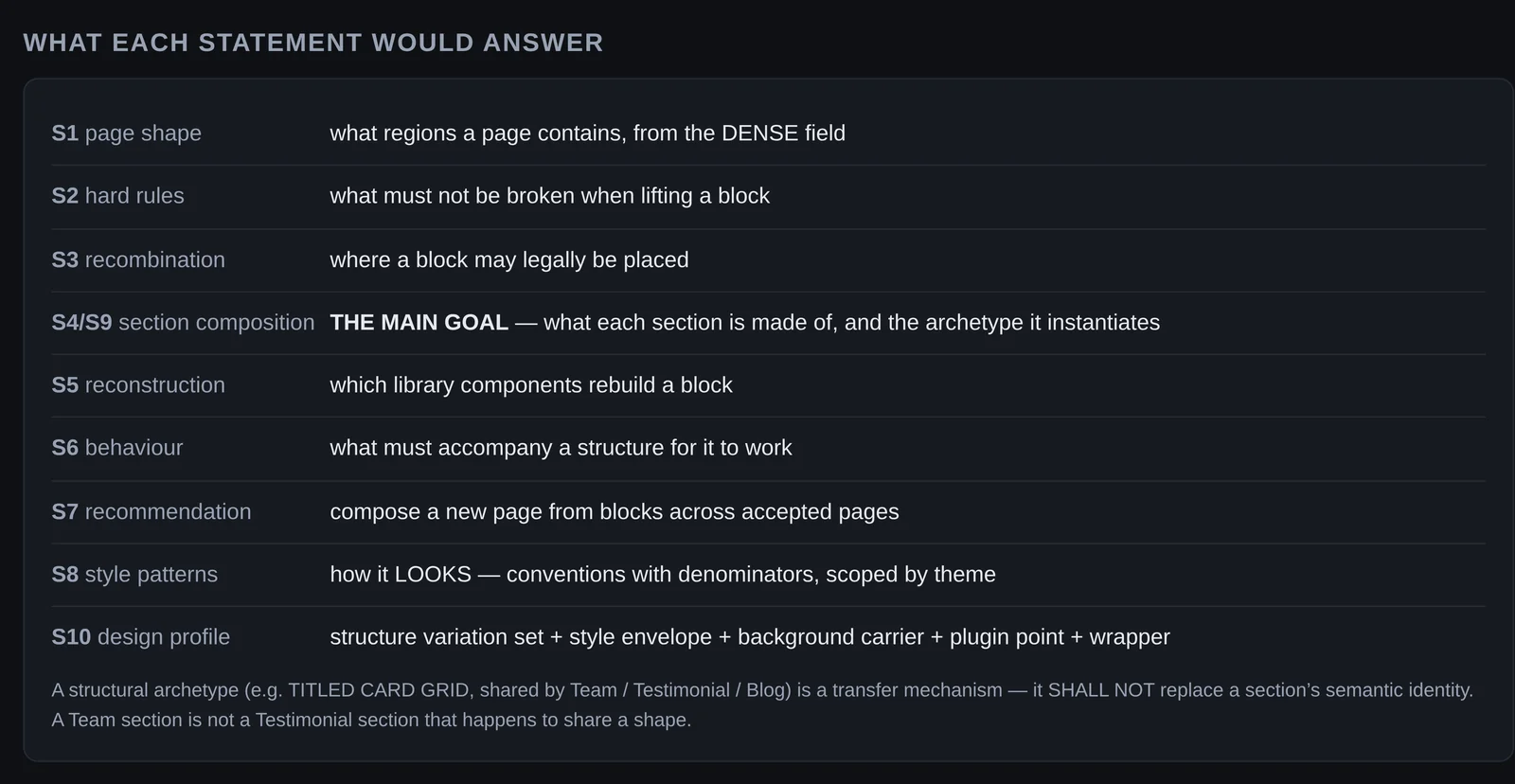
A table of the KB statements S1 to S10 and the question each answers
What each layer answers. Each statement the KB learns answers one design question, from page shape and placement rules to section composition and design profiles.

The structure it recognises

The S4 archetypes table: block signatures, how many sections share each, and the named sections with their page ranges
Archetypes recognised. What the KB learned: archetypes recognised across differently-named sections. One block signature, many section names, each with its own page range.
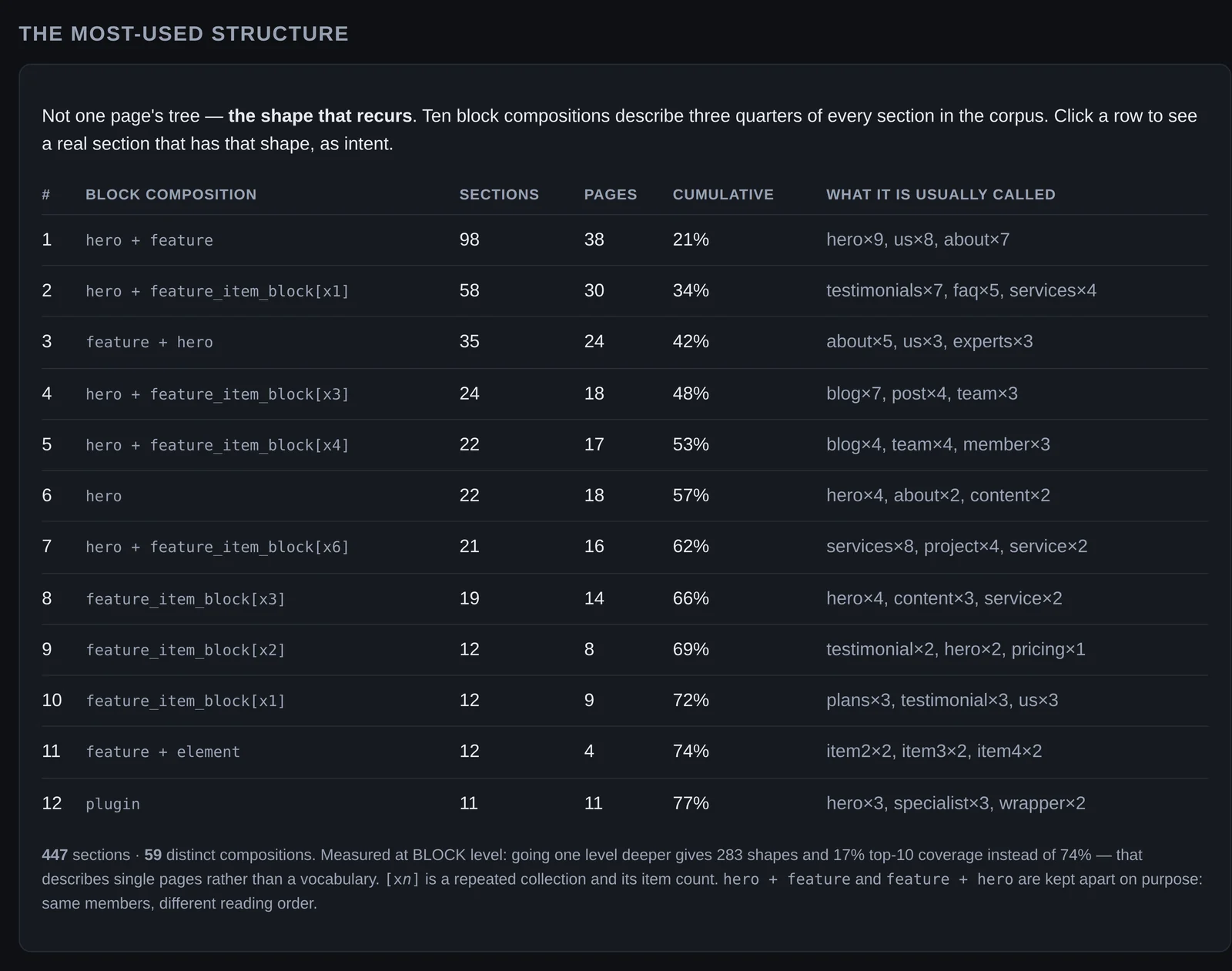
The UI IR table of the most-used block compositions, with sections, pages, cumulative share and usual names
The most-used structures. Ten block compositions describe three quarters of every section in the corpus, with what each is usually called.
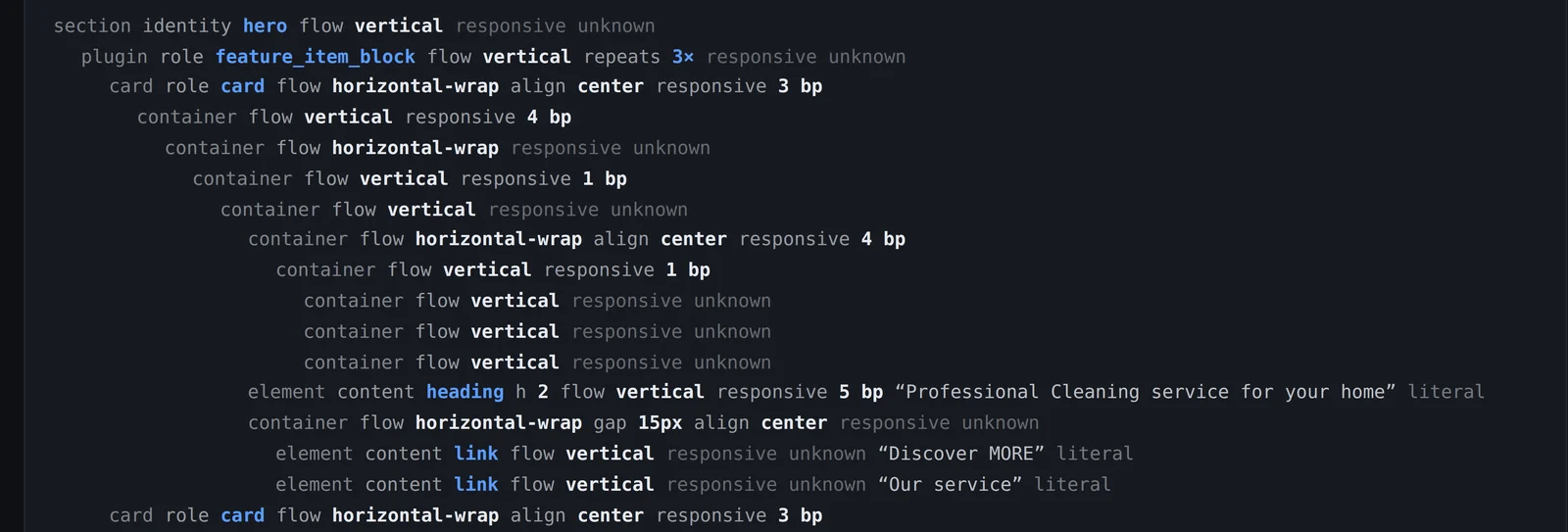
An intent tree: section, plugin role, cards, containers with flow and responsive breakpoints, heading and links
A section as intent. A real section expressed as framework-neutral intent: roles, flow, alignment and responsive breakpoints, down to each heading and link.

Where things go

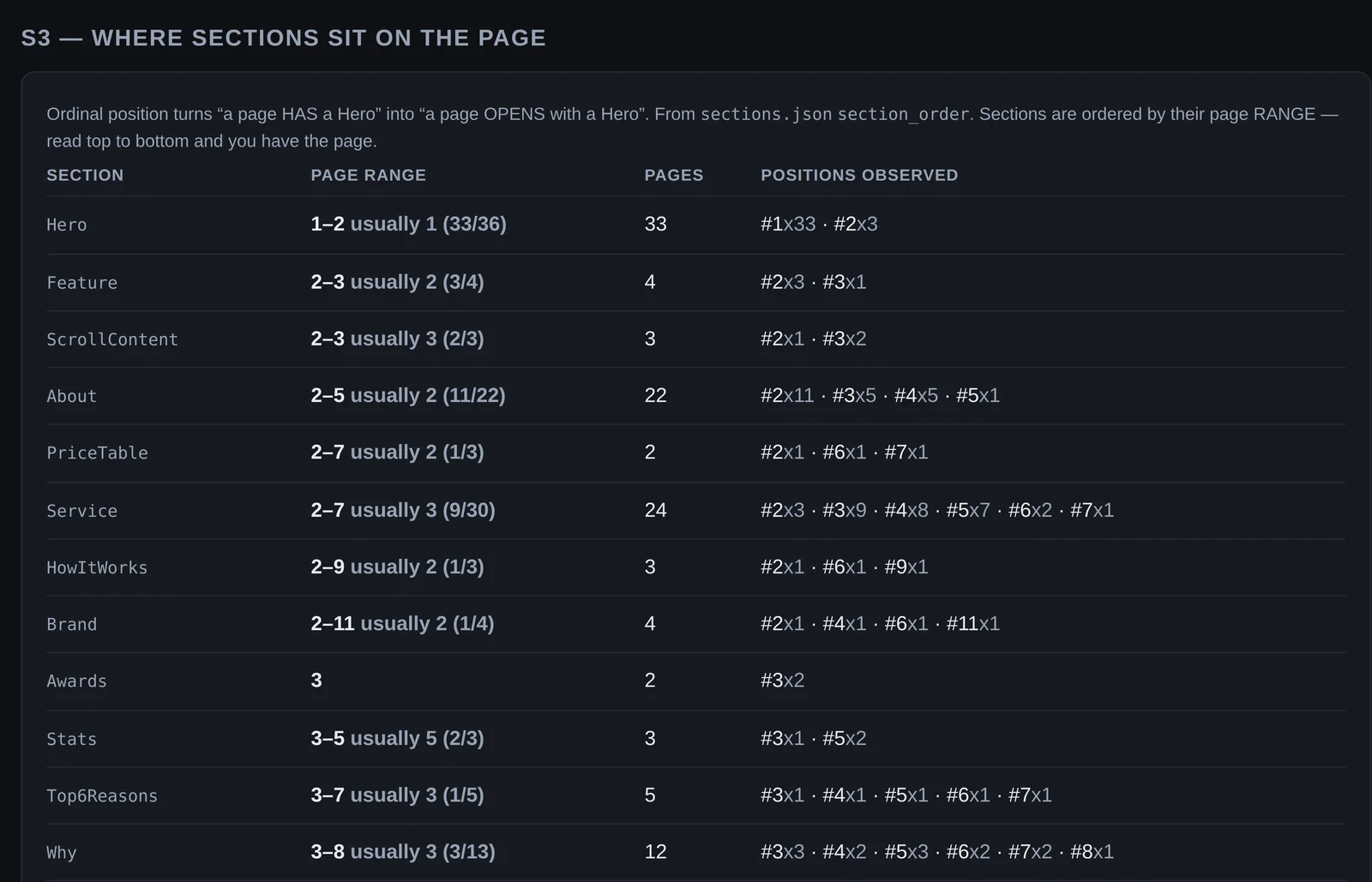
The S3 table of sections with their page range, page count and positions observed
Where sections sit. Where each section sits on the page: the page range observed, how many pages, and every position seen.
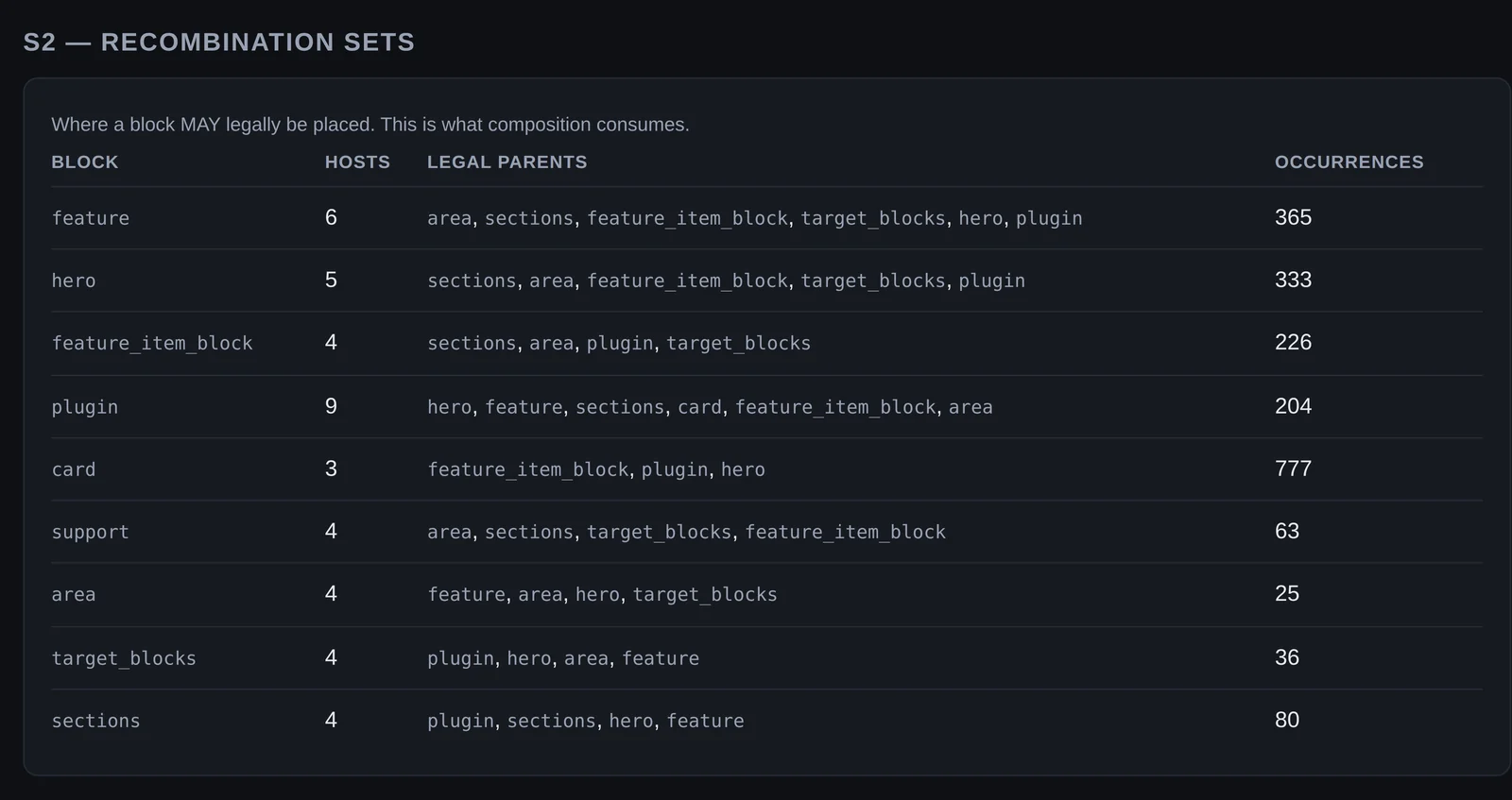
The S2 recombination table: block, number of hosts, legal parents and occurrences
Where a block may go. Recombination sets: which parents each block may legally be placed in, and how often it occurs.
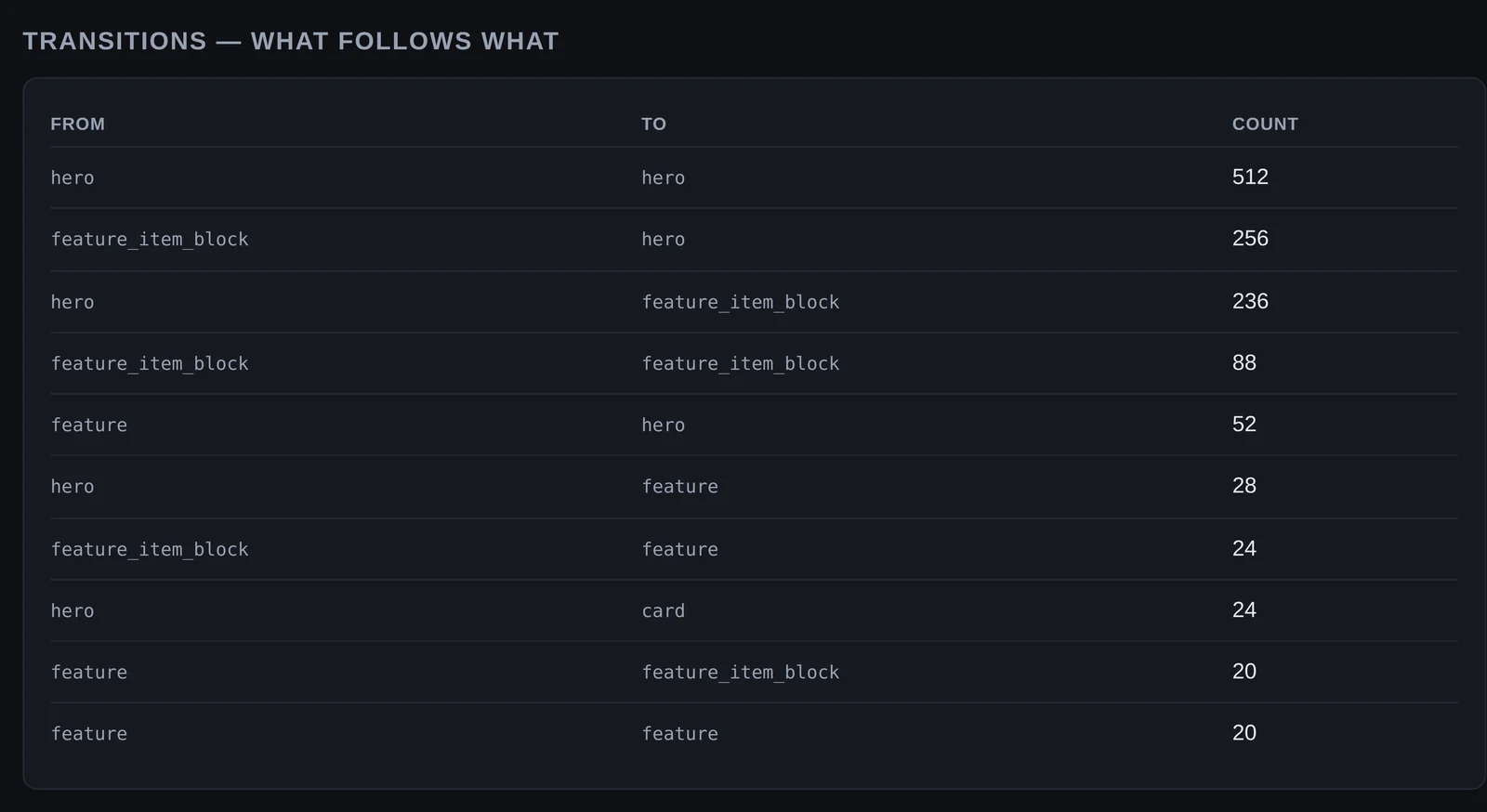
The KB counts table of block-role transitions with counts
What follows what. Transitions counted across the corpus: which block role follows which.

What a design needs

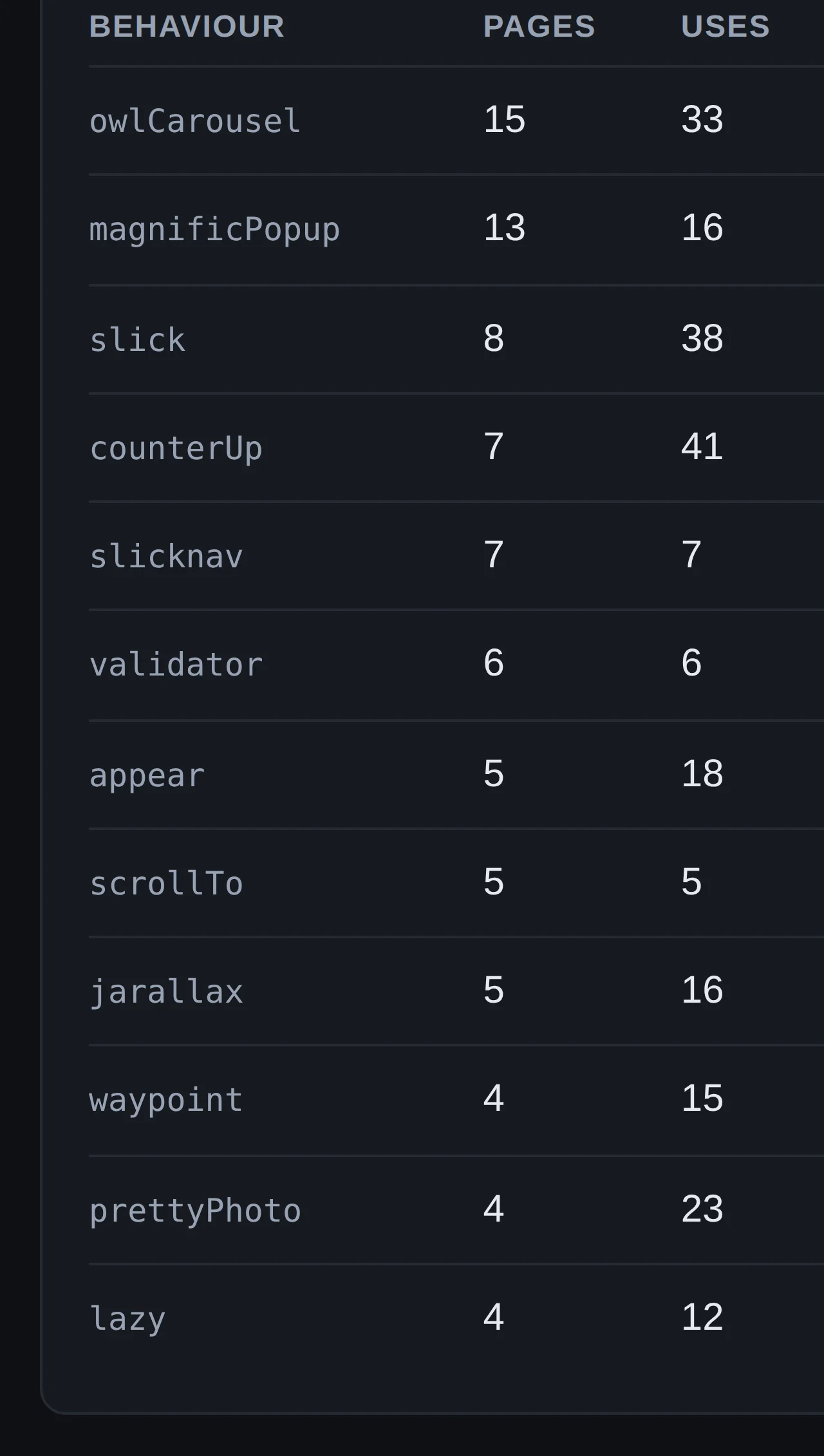
The S6 behaviour requirements table: behaviour, pages and uses
Behaviour a design needs. What must accompany a structure for it to work: carousels, popups, counters and more, by pages and uses.
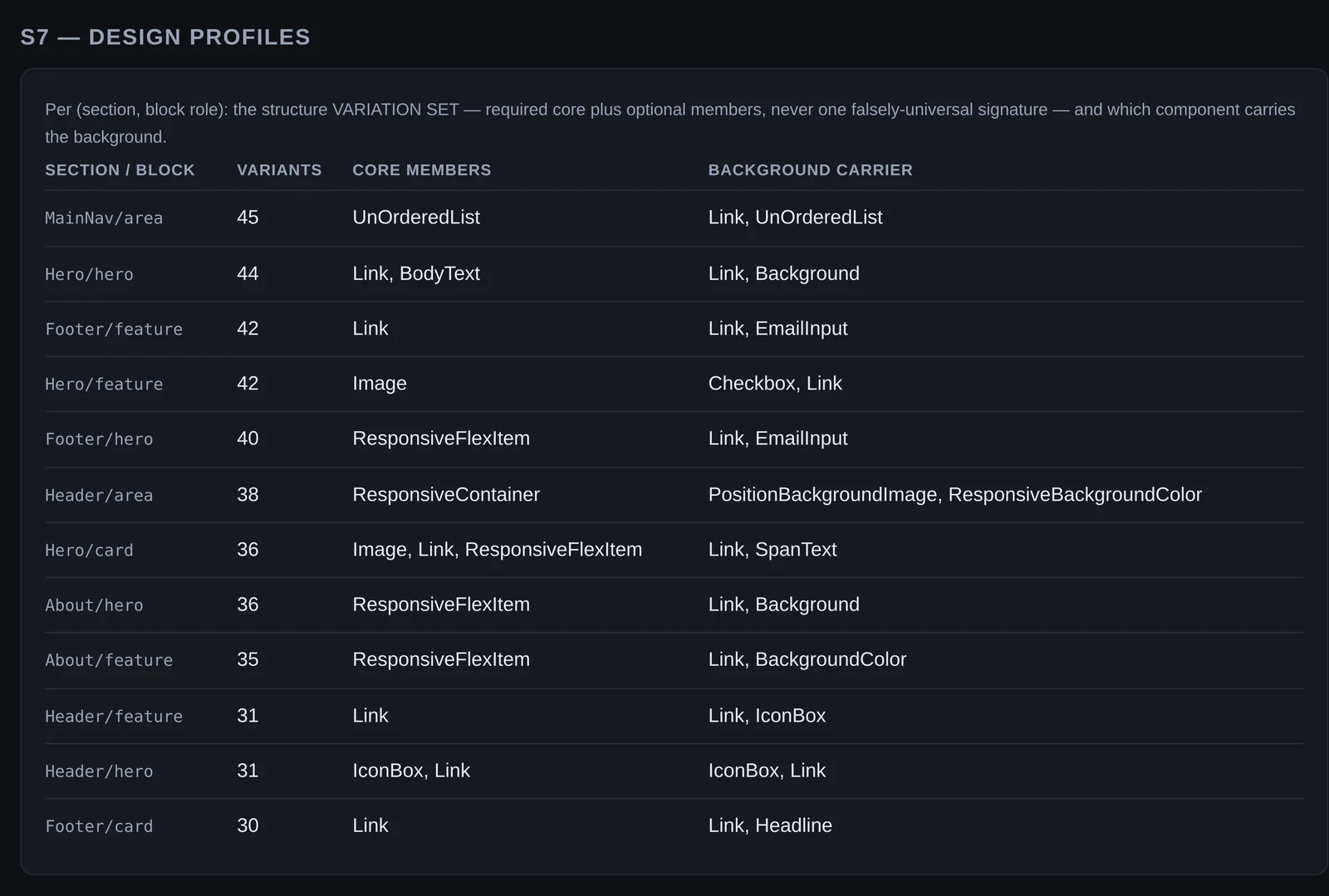
The S7 design profiles table
Design profiles. Per section and block: how many variants, the core members, and which component carries the background.

Actual capture The Knowledge Base console, as it runs locally: the KB, UI IR and KB counts pages.

From the generator
Processed pagesStructured, labelled components
Sections and blocksLayouts and their parts
Measured stylesType, colour, spacing, cards, backgrounds
Knowledge baseKB

Learns how website pages are designed

For WebsiteCreator's design guides
  • Structure Layouts and sections
  • Expression Type, colour and treatments
  • Assembly Blocks and style systems
Conceptual Illustration How the generator's processed pages become design knowledge for WebsiteCreator; not a capture of the software.